
Insurance Agency Software integration: The Systems You Should Connect First
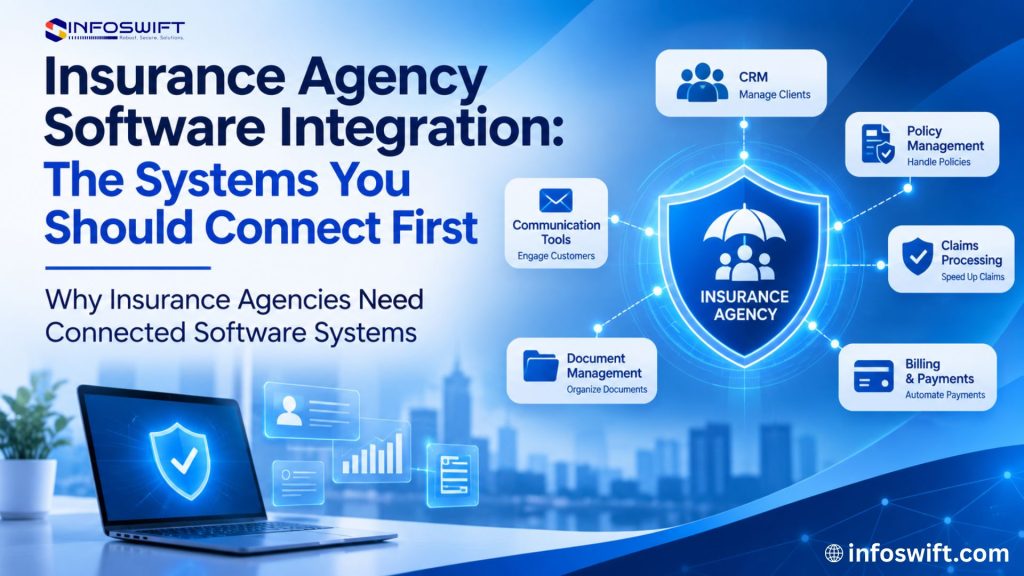
Why Insurance Agencies Need Connected Software Systems
Walk through a typical day at an independent insurance agency and count the screens. A producer starts in the agency management system, checks a lead in the CRM, opens two carrier portals to compare rates, saves a signed application to a shared drive, and logs a payment in the accounting tool. Each application does its job well. The trouble starts in the gaps between them.
When those applications cannot share information, people fill the gaps by hand. A service representative copies a new client’s address from an email into the CRM. An account manager rekeys policy details from a carrier download into the agency management system. A bookkeeper matches commission statements against a spreadsheet at the end of the month. None of these tasks feels large on its own, but together they slow down service, invite errors, and leave staff with less time for clients.
Insurance agency software integration solves this by letting business applications exchange information directly. Through API integration for insurance systems, prebuilt connectors, or scheduled data exchange, a detail captured once can travel to every system that needs it. Workflows become shorter, records stay aligned, and staff can trust that what they see on screen is current.
The smartest agencies do not try to connect everything at once. Integration projects take planning, testing, and ongoing care, and each connection depends on what the vendors involved actually support. Starting with the systems that cause the most friction delivers value sooner and builds the foundation for everything that follows. This guide explains how insurance agency software integration works, which seven systems usually deserve attention first, and how to decide where your agency should begin.
What Is Insurance Agency Software Integration?
Insurance agency software integration is the process of connecting the applications an agency uses so they can exchange information and support shared workflows. Instead of acting as separate islands, the agency management system, CRM, quote portal, document storage, accounting software, and reporting tools work as one connected environment.
In practice, integration means one application can send data to another, request data from it, or react when something changes. A new quote request can create a lead record automatically. A bound policy can update the client file. A renewal date can trigger a task for the service team.
Agencies typically connect their systems using one or more of these methods:
- API based integration. An application programming interface (API) lets two systems talk directly in a structured, secure way. API integration for insurance applications is usually the most flexible option, because it can move data in near real time and in both directions, as long as each vendor exposes the right endpoints.
- Prebuilt connectors. Many software vendors offer ready made links to popular platforms. They are fast to set up, but they only cover the fields and workflows the vendor chose to support.
- Middleware integration. An integration platform sits between applications and manages how data is translated, routed, and logged. It is useful when an agency needs to connect several systems that use different formats.
- Custom application integration. When no connector exists or a workflow is unique to the agency, developers can build a custom link designed around exact business rules.
- Scheduled data synchronization. Some systems exchange data in batches at set times, such as every hour or overnight. This works well when instant updates are not essential or when a platform does not offer a live API.
Whatever the method, the goal stays the same. Integration replaces manual copying with reliable, rule based data exchange, which reduces data entry and breaks down the information silos that form when every team works in its own tool.
Common Problems Caused by Disconnected Insurance Software
Before choosing what to connect, it helps to name the specific problems disconnected systems create. Each one points toward a particular integration.
Repeated Manual Data Entry
The same client name, address, date of birth, and contact details get typed into the CRM, the agency management system, a quoting tool, and sometimes a carrier site. Every repetition costs time and creates another chance for a typo that later causes a rejected application or a misdirected document.
Scattered Customer Information
Client information ends up spread across CRM records, spreadsheets, email threads, and agency applications. When a client calls, the service representative has to search several places to see the full picture, and no single record can be trusted as complete.
Delayed Quote Processing
When a quote request arrives through one tool and has to be moved by hand into another, response time depends on how quickly someone notices it and retypes it. In a market where shoppers often contact more than one agency, slow handoffs can mean lost business.
Difficult Renewal Tracking
Renewal dates, carrier changes, and policy updates often live in different systems. Without a connected view, upcoming renewals can slip past until a client calls with a question or a policy is already close to expiring.
Limited Reporting and Data Visibility
Agency leaders want to know how many quotes are open, which producers are converting, and how retention is trending. When that information sits in separate applications, building a report means exporting files, cleaning them, and stitching them together, so reports arrive late or not at all.
Increased Administrative Work
Every switch between systems adds a small delay, and every manual transfer adds a task. Over a week, the administrative load grows quietly until skilled staff spend a large share of their day on work that software could handle.
The 7 Systems Insurance Agencies Should Connect First
The systems below appear in nearly every agency, and each one plays a distinct role in daily operations. For each, consider what it holds, what it should share, and what your team gains when it does.
Agency Management System (AMS) Integration
The agency management system is the operational core of most agencies. It organizes client records, policies, coverage details, carrier information, commissions, and activity history. Because so many workflows begin or end in the AMS, it is usually the anchor that other integrations connect to.
Connecting the AMS with your CRM, quote portal, document storage, and accounting tools means the information entered in one place can appear wherever it is needed. A newly bound policy can flow into the client record without rekeying. A change of address can update every connected system at once.
Integration also improves access. Producers and service staff can see relevant policy and client details from the tools they use most, without logging into the AMS for every question. Above all, AMS integration protects data consistency. When one system is treated as the authoritative record for policy data and the others pull from it, conflicting versions of the same client become far less common.
CRM Integration
A CRM manages relationships rather than policies. It tracks leads, conversations, follow ups, marketing campaigns, and the many small interactions that turn a prospect into a long term client. Agencies that use a separate CRM alongside their AMS often find that client details drift apart between the two.
Integrating the CRM with the agency management system keeps contact information, policy status, and activity history aligned. When a lead becomes a client, the record can move into the AMS automatically. When a policy renews or changes, the CRM can reflect it so the next conversation is informed.
For agents, this means opening one screen and seeing a client’s history, open opportunities, and scheduled follow ups in context. For the agency, it means a more organized communication process, where no reminder depends on someone remembering to copy a note from one system to another.
Insurance Quote Portal Integration
A digital insurance quote portal lets prospects request quotes online at any hour. It collects driver, vehicle, property, and coverage information through a guided form and often returns indicative rates. The value of that portal depends heavily on what happens after a visitor clicks submit.
With integration, submitted quote information can transfer straight into the CRM or agency management system, creating a lead, assigning it to the right producer, and starting a follow up task. Without integration, the submission sits in an inbox until someone retypes it.
Integration also makes quote requests trackable. Managers can see how many requests arrived, who picked them up, and how quickly each one received a response. Because portal data comes directly from the public, validation matters. Required fields, format checks, and duplicate detection should run during the transfer so incomplete or repeated submissions do not clutter agency records.
Insurance Carrier Portal Integration
Most independent agencies work with many carriers, and each carrier has its own platform for quoting, policy downloads, endorsements, and billing. Agents often keep several carrier sites open at once and enter the same risk details into each.
Where a carrier offers supported APIs, download services, or authorized connectors, agencies can link carrier systems to their own applications. Policy updates, documents, and status changes can then arrive without manual lookups, and some information can be prefilled when submitting to a carrier.
Carrier integration is rarely uniform. Each carrier sets its own technical requirements, access permissions, and data formats, and some offer very limited connectivity. Before planning carrier connections, confirm with each carrier exactly what is available and what your agency is authorized to use. Even partial connectivity with a few high volume carriers can remove a meaningful amount of repetitive entry.
Document Management System Integration
Insurance agencies handle a constant flow of documents: applications, declarations pages, policy forms, endorsements, signed disclosures, claims correspondence, and identity documents. When these files live in personal folders, email attachments, and multiple drives, finding the right version takes time.
Connecting document storage with the agency management system and CRM lets each file attach to the correct client and policy automatically. Staff open a client record and see every related document in one place, organized by type and date.
Structured access supports daily workflows such as renewals, audits, and service requests. Because these files contain sensitive personal and financial information, integration should enforce appropriate access controls, so each user sees only what their role requires, and every view and change is logged.
Accounting and Billing Software Integration
Accounting applications manage premium payments, agency billed invoices, commission income, producer compensation, and general ledger entries. When these tools stand apart from agency systems, staff enter the same financial details twice and reconcile differences by hand.
Integration lets relevant billing and commission information flow between the agency management system and the accounting platform. A payment recorded in one system can appear in the other, and commission statements can be matched against policy records with far less manual effort.
Financial data leaves little room for error, so synchronization rules need extra care. Define which system owns each financial field, how often data should sync, and how discrepancies are flagged for review. Accurate financial synchronization protects both the agency’s books and its relationships with carriers and producers.
Reporting and Analytics Dashboard Integration
A reporting dashboard pulls information from connected applications and presents it in a form leaders can act on. Instead of exporting spreadsheets from five systems, managers see quote activity, renewal status, producer performance, and service workload in one view.
Once the core systems are connected, a dashboard can track open quotes by stage, renewals coming due in the next month, and how quickly requests are handled. Centralized reporting turns scattered records into a clear picture of how the agency is performing.
A dashboard is only as reliable as its inputs. Data accuracy upstream determines the quality of every chart, and each data source needs an update schedule that fits how the information is used. Daily operational views may need frequent refreshes, while monthly trend reports can rely on less frequent updates.
How API Integration for Insurance Systems Works
Most modern integrations rely on APIs. While every project differs, API integration for insurance systems usually follows six stages, and skipping any of them is where most integration problems begin.
Identify the Systems That Need to Communicate
Start with the business process, not the technology. List the applications involved in a workflow, such as quote intake or renewal processing, and note what information each one needs from the others. This keeps the project focused on real outcomes.
Review API Availability and Documentation
Check what each vendor actually offers. Review the available endpoints, authentication methods, rate limits, permissions, and any contractual restrictions on data use. Some platforms provide rich, well documented APIs, while others allow only limited access or require a paid tier.
Map Data Between Applications
Define exactly how information should move. Decide which fields correspond across systems, how formats should be converted, which direction each field flows, and which system holds the authoritative version of customer, policy, and quote data.
Configure Data Exchange
Build or configure the connection using the options available, whether that is direct API calls, a vendor connector, middleware, or scheduled synchronization. Include error handling, retry logic, and logging from the start so problems are visible rather than silent.
Test Integration Workflows
Run realistic scenarios before going live. Confirm that data arrives accurately and completely, that errors are caught and reported, that permissions and security controls work as intended, and that each application behaves correctly when it receives new information.
Monitor and Maintain Integrations
Integrations need ongoing attention. Monitor synchronization results, resolve errors quickly, and update connections when a vendor releases a new API version or an application changes. A named owner for each integration keeps maintenance from falling through the cracks.
Which Insurance Software Integration Should You Prioritize First?
The right first step in insurance agency software integration is the connection that removes the most friction from your agency’s daily work. Use the table below to match common pain points with the integration most likely to address them.
Integration | Priority consideration | Business objective |
Agency Management System | Core agency information is fragmented | Centralize relevant agency data |
CRM | Customer interactions are difficult to track | Improve customer relationship management |
Quote Portal | Quote requests require manual handling | Organize quote workflows |
Carrier Platforms | Agents repeatedly enter information | Improve supported carrier connectivity |
Document Management | Documents are scattered across locations | Organize document access |
Accounting Software | Financial information is disconnected | Improve financial data coordination |
Reporting Dashboard | Managers lack operational visibility | Support decisions backed by reliable data |
The best starting point depends on your existing technology, business priorities, API availability, and integration requirements. An agency that already runs a modern AMS with an open API may start with its quote portal. An agency on an older platform may need to modernize or add a middleware layer before other connections are practical. A simple way to decide is to rate each candidate on three questions: how much manual work it removes, how many people it affects, and how technically ready the systems involved are. The integration that scores well on all three is usually the right place to begin.
Benefits of Connected Insurance Agency Software
When insurance agency software integration is planned around real workflows, the improvements reach every part of the agency:
- Reduces repeated data entry. Information entered once can be reused across connected applications.
- Improves access to customer and policy information. Staff see a fuller picture of each client without switching between tools.
- Supports more organized quote and renewal workflows. Requests and renewal dates trigger the right tasks for the right people.
- Helps reduce information silos. Teams work from shared records instead of private spreadsheets and inboxes.
- Improves operational visibility. Leaders can see workload, pipeline, and service activity as it happens.
- Supports consistent data exchange. Defined rules keep records aligned across systems.
- Creates a foundation for future automation. Connected data makes it possible to automate reminders, routing, and other repetitive tasks later.
- Helps agencies scale their technology environment. New tools can plug into an existing integration layer instead of adding another isolated system.
Common Challenges in Insurance Software Integration
Insurance agency software integration delivers real value, but it is not effortless. Knowing the common obstacles in advance helps agencies plan realistic timelines and budgets.
Legacy Application Compatibility
Older agency systems may have limited or no API access, outdated data structures, or vendor support that no longer covers modern connections. These systems may need a middleware layer, a custom connector, or modernization before they can join a connected environment.
Different Data Formats
Applications often store the same information differently. One system may split a client’s name into first and last fields while another keeps it in one field, and date, address, and coverage formats can vary widely. Careful data mapping and transformation rules are needed to keep records accurate.
API and Vendor Restrictions
Not every platform provides open APIs or supports every integration requirement. Some vendors limit which data can be accessed, charge for API usage, or restrict how often data can be requested. Review these terms before committing to an integration design.
Data Security and Privacy
Integrations move personal, financial, and policy information between systems, so every connection must be protected. Encryption, secure authentication, access controls, and audit logging should be standard, and the design should align with the agency’s privacy obligations and carrier requirements.
Integration Maintenance
Connected systems keep changing. Vendors update APIs, applications release new versions, and agency workflows evolve. Each change can affect an integration, so agencies need a plan and a responsible owner for ongoing updates.
Testing and Data Validation
An integration that appears to work can still pass incomplete or incorrect data. Agencies need thorough testing before launch and regular validation afterward to confirm that connected systems exchange accurate and complete information.
How InfoSwift Helps Insurance Agencies Connect Their Software Systems
InfoSwift helps insurance businesses plan and deliver insurance agency software integration that fits the way each agency actually works. Rather than starting with a fixed package, the team looks at which handoffs cost the agency the most time and which systems are technically ready to connect, then shapes the work around that.
Insurance API Integration
InfoSwift delivers API integration for insurance applications, building secure connections between agency management systems, CRMs, quote portals, and supported carrier platforms wherever the necessary APIs and permissions are available. Learn more about our integration services.
Custom Application Integration
When a prebuilt connector cannot handle an agency’s workflow, InfoSwift designs custom integrations around agency specific business rules and technical requirements, so data moves the way the team actually works.
Insurance Quote Portal Integration
InfoSwift connects digital insurance quote portals to the systems that act on each request, so new submissions reach the right producer with complete, validated information. See how our insurance agency software solutions support online quoting.
Legacy Insurance System Modernization
For agencies held back by older platforms, InfoSwift helps modernize legacy applications or wrap them with integration layers, improving their ability to work with newer tools without disrupting daily operations. Explore our legacy systems support.
Workflow Automation
Once systems are connected, InfoSwift identifies repetitive activities, such as renewal reminders, lead routing, and document filing, that can be automated across applications to free staff for client work.
Quality Assurance and Integration Testing
InfoSwift validates data exchange, application functionality, and complete integration workflows before and after launch, helping agencies catch mapping errors and security gaps early. Read about our QA and software testing services.
Conclusion
Connecting every system at once is rarely practical, and it is rarely necessary. Insurance agency software integration delivers the most value when agencies start with the connection that removes the biggest daily bottleneck, prove it works, and build from there. For some agencies that is the AMS and CRM. For others it is the quote portal or a handful of high volume carriers.
Take stock of where your team retypes information, where requests stall, and where leaders lack visibility. Those answers will point to your first integration. If you want a partner to assess your systems and plan a practical integration roadmap, talk to the InfoSwift team.
Frequently Asked Questions
It means linking the tools an agency relies on every day so that information flows between them automatically. When a client record, quote, or policy changes in one application, the connected applications receive that update without anyone retyping it.
Most agencies start with the system that causes the most manual work. The agency management system, CRM, and quote portal are common first choices because they sit at the center of daily client and policy activity. The right choice depends on your existing technology, priorities, and which vendors offer usable APIs.
API integration for insurance applications uses structured interfaces that let two systems request and send data securely. The process involves identifying which systems need to communicate, reviewing each vendor’s API, mapping data fields, configuring the connection, testing it, and monitoring it over time.
In many cases, yes. Whether and how depends on what both vendors support. A common setup passes new clients from the CRM into the AMS and sends policy changes back, so producers and service staff work from the same version of each client record.
Yes, to the extent each carrier allows. Many carriers offer some form of electronic access, ranging from full APIs to policy download feeds. Capabilities and requirements differ from carrier to carrier, so each connection should be confirmed with the carrier before it is planned.
Common challenges include compatibility with legacy applications, differences in data formats, API and vendor restrictions, data security and privacy requirements, ongoing maintenance as systems change, and the need for thorough testing and data validation.
Often it can. Even when an older system lacks a modern API, options such as middleware, scheduled data exports, custom connectors, or partial modernization can help it exchange information with newer tools. The best approach depends on the system’s architecture and vendor support.
Integration lets information entered in one application flow automatically to the other systems that need it. Instead of retyping a client’s details into several tools, staff capture them once, and connected systems receive the same accurate data.