
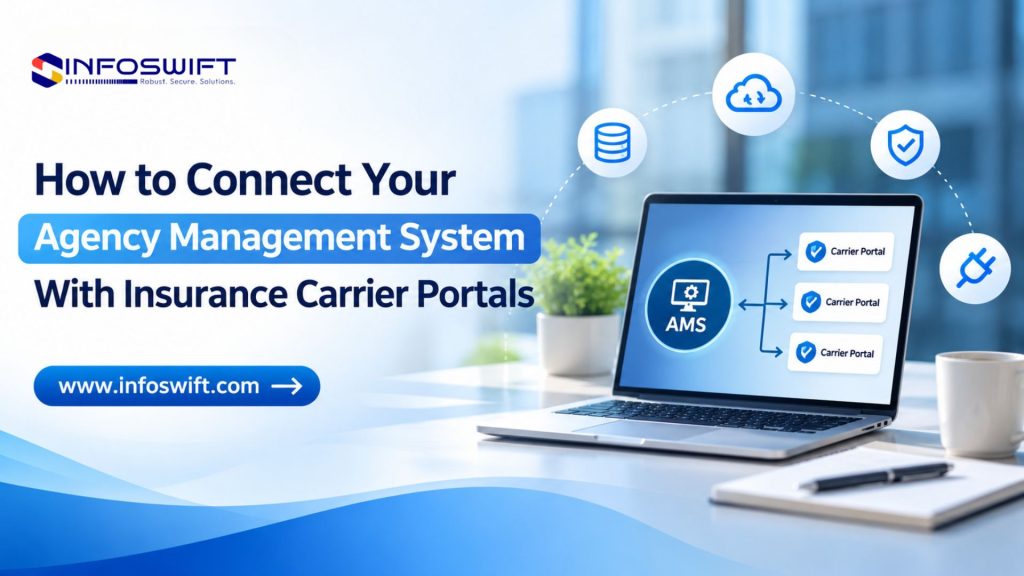
How to Connect Your Agency Management System With Insurance Carrier Portals
Key Takeaways
- AMS-to-carrier integration can reduce duplicate data entry and improve coordination between quoting, policy, and servicing workflows.
- Connectivity depends on authorized carrier APIs, AMS capabilities, vendor connectors, and licensing requirements.
- Reliable integration requires data mapping, security controls, testing, monitoring, and clear exception handling.
Why Insurance Agencies Need Connected Systems
Insurance agencies use agency management systems (AMS) to organize customer records, policy information, renewals, and daily activities. Agents also rely on individual carrier portals to submit applications, request quotes, retrieve documents, and perform supported policy servicing tasks. When these applications are disconnected, staff may enter the same information repeatedly, switch between multiple portals, and manually reconcile records.
Insurance agency system integration helps coordinate information exchange between compatible applications. The goal is not to eliminate every carrier portal, but to reduce unnecessary handoffs and make relevant information available where employees need it.
What Is Agency Management System Integration?
Agency management system integration connects an AMS with other insurance applications through approved APIs, vendor connectors, middleware, or custom-built interfaces. It can support data transfer and workflow coordination when the participating systems permit those functions.
What Is an AMS?
An AMS typically manages customer profiles, policy details, renewals, tasks, interactions, and agency reporting. Features vary by vendor, and an AMS does not automatically provide direct access to every insurer.
What Are Carrier Portals?
Carrier portals are insurer-operated platforms through which authorized agents may submit quote requests, access policy records, download documents, or perform permitted servicing actions. Each carrier can have different fields, authentication requirements, and available functions.
Why Connect Them?
Where supported, integration can reuse approved customer information during quoting, associate carrier responses with agency records, and improve visibility into follow-up activities. The exact benefits depend on available interfaces and implementation scope.
Common Problems With Separate AMS and Carrier Portals
- Repeated entry: agents may retype customer, driver, vehicle, and coverage details in several systems.
- Fragmented visibility: quotes and policy information can be scattered across portals and internal applications.
- Manual updates: address changes, renewals, and servicing records may require separate updates.
- Different data formats: carrier-specific fields, codes, and validation rules complicate exchange.
- Restricted connectivity: some carriers do not offer open APIs or require vendor approval and licensing.
How to Connect Your AMS With Insurance Carrier Portals
Step 1: Assess Your Existing AMS
Identify the AMS platform and version, available API documentation, existing connectors, and supported read/write operations. Define the first business workflow to improve, such as transferring customer details into a quote request. Start with a focused use case rather than attempting every integration at once.
Step 2: Verify Carrier Connectivity Requirements
List priority carriers and confirm API or connector availability, supported operations, authentication, approval processes, licensing terms, and sandbox access. A carrier may support quote submission but not endorsements or policy updates. Do not assume that access to a web portal authorizes automated integration.
Step 3: Map Data and Define Workflow Rules
Map AMS fields to carrier-required fields—for example, customer name, date of birth, ZIP code, vehicle identification number, and coverage selection. Define validation, required fields, duplicate detection, and error responses. Decide which system is authoritative for each record: the AMS may own agency contact details, while the carrier owns issued policy status.
Step 4: Select an Integration Method
Choose an approach based on the systems and the workflow:
- Direct APIs: suitable when supported interfaces expose the needed functions.
- Vendor connectors: useful when an approved prebuilt connection meets requirements.
- Middleware: coordinates multiple applications, transforms data, and centralizes monitoring.
- Custom integration: supports specialized workflows using authorized interfaces.
Step 5: Develop and Configure
Implement secure authentication, API requests, field transformations, synchronization logic, and actionable error messages. Respect carrier rate limits and prevent duplicate transactions when retrying failed requests. Protect credentials and avoid logging sensitive information unnecessarily.
Step 6: Test Before Launch
Test valid and invalid submissions, data accuracy, API responses, access permissions, duplicate records, timeouts, failed synchronization, and complete quote-to-record workflows. Use approved test environments and protected data. Confirm that agents know how to handle exceptions and use a manual fallback when necessary.
Step 7: Deploy, Monitor, and Maintain
Monitor transactions and failures, review access permissions, update integrations when vendors change APIs, and maintain recovery procedures. Integration is an ongoing operational responsibility, not a one-time software connection.
Types of Insurance Carrier Connectivity
Real-Time API Integration
Supported APIs can exchange information when a user submits a request or a business event occurs. This may be appropriate for quoting workflows requiring a prompt response.
Scheduled Synchronization
Selected records can be exchanged at defined intervals when immediate updates are not essential. Agencies should decide which data can tolerate delays.
Middleware-Based Integration
An integration layer can transform formats, route requests, handle errors, and coordinate communication across several applications.
Custom Carrier Integration
Custom development may address specific data exchange requirements, but it must use carrier-authorized methods and respect vendor restrictions.
Business Benefits of AMS–Carrier Integration
- Less repetitive work: reduce duplicate entry where approved data sharing is possible.
- More consistent records: apply field validation, data ownership, and synchronization rules.
- Better coordination: connect selected quote, policy, and servicing activities.
- Improved productivity: reduce unnecessary switching and manual reconciliation.
- Easier expansion: a well-planned architecture can accommodate additional compatible systems.
These outcomes are not guaranteed; they depend on carrier access, data quality, workflow design, and implementation quality.
Security and Compliance Considerations
Authentication and Authorization
Use supported API keys, OAuth where available, secure token storage, role-based access, and least-privilege permissions. Rotate and revoke credentials according to policy.
Encryption and Privacy
Protect customer information in transit and at rest. Review applicable insurance, privacy, contractual, and data protection obligations with the organization’s legal and compliance teams.
Audit Logs and Recovery
Record appropriate transaction identifiers, timestamps, and failure states without unnecessarily exposing personal data. Configure alerts, safe retries, duplicate-prevention controls, and recovery procedures.
Technical Challenges and Practical Responses
- Inconsistent schemas: normalize and validate data before exchange.
- Legacy AMS limitations: assess supported interfaces or phased modernization.
- Carrier restrictions: confirm permissions before development.
- API failures and rate limits: monitor, queue, and retry appropriately.
- Duplicate or conflicting records: define matching rules and authoritative sources.
- Security gaps: test access controls and review integrations regularly.
How InfoSwift Supports Insurance Agency Integration
InfoSwift can support insurance organizations in evaluating existing applications and planning suitable connectivity solutions. Engagements may involve insurance API integration, custom application development, legacy application modernization, data mapping and migration planning, and quality assurance.
For example, an agency seeking to connect its AMS, customer intake process, and a supported carrier quoting API may need field mapping, secure authentication, response handling, and end-to-end testing. InfoSwift’s integration and development capabilities can help plan and implement such work, subject to the participating vendors’ technical permissions.
Build a More Connected Insurance Agency
Connecting an AMS with carrier applications can reduce repetitive tasks, improve data consistency, and support more coordinated agency workflows. Successful integration begins with realistic carrier connectivity checks and continues through data mapping, security, testing, and maintenance.
Frequently Asked Questions
It is the authorized connection of an AMS with other insurance applications to exchange data and coordinate workflows.
Yes, where the carriers and AMS provide compatible, approved integration methods.
It uses supported APIs to exchange information or perform permitted operations between applications.
No. Availability, functions, permissions, and commercial conditions vary by carrier.
Timelines depend on carrier approvals, number of systems, data mapping, complexity, and testing requirements.
No. Direct APIs or approved connectors may be sufficient for simpler workflows.
Use secure authentication, encryption, least-privilege access, monitoring, audit logs, and tested recovery procedures.