
What Features Matter Most in Insurance Quote Management Software?
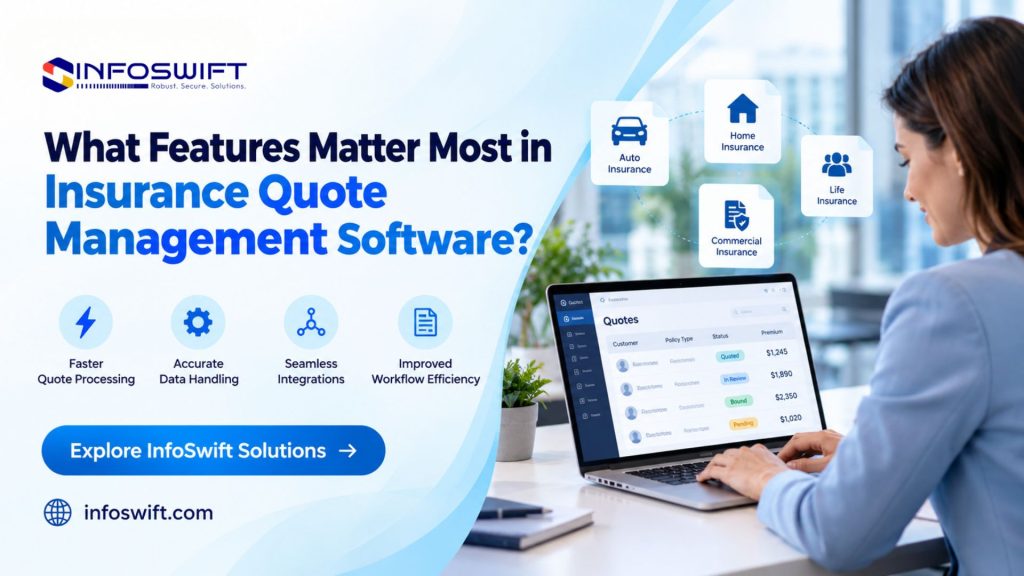
Why Insurance Quote Management Software Matters
A homeowner submits a quote request on a Thursday afternoon. The agent needs the roof age, the claims history, and the mortgage details, but the form captured only one of the three. She calls the customer, types notes into the CRM, requests quotes from three carriers on three different websites, copies the results into a proposal, and sets a phone reminder to follow up on Monday. Nothing in that sequence is unusual, and very little of it needs to be manual.
That is the case for insurance quote management software. Quoting is where agencies win or lose a prospect, and it is also where the most small, repeatable tasks pile up. Information arrives incomplete. Carrier results come back in different formats. Proposals are rebuilt by hand. Follow ups depend on whoever remembers them. Each gap is minor on its own, but together they slow the response and make the customer repeat themselves.
The right software gives every request one record and one workflow, from the first inquiry to a bound policy or a decision to pass. Agents spend less time on administration, managers can see what is open, and customers get clearer, faster answers. This guide explains what the software does, ten features that separate useful tools from frustrating ones, how to choose among them, and where quoting projects commonly go wrong.
What Is Insurance Quote Management Software?
Insurance quote management software keeps quoting work organized from the moment a request arrives until it is bound, declined, or lost. It captures what the agent needs to know about the customer and the risk, generates or retrieves quote options, stores each option with the details behind it, and records what happens next. The result is a single place where anyone on the team can see where a quote stands and what it is waiting for.
It helps to separate it from the tools it works alongside. It is not the carrier’s rating engine, which calculates the premium. It is not the agency management system, or AMS, which takes over the policy record after binding. It is not a general CRM, which tracks relationships beyond quoting. A good platform connects to all three and owns the stretch of the journey between them, where requests are most likely to stall.
How Does Insurance Quote Management Software Work?
Most platforms follow the same four steps, whatever the product line.
- Collects customer and risk information. Details come in through an online form, an agent entering a phone inquiry, or a record that already exists in another system. The data is checked as it is entered, so gaps surface early.
- Connects with supported rating systems or carrier platforms. The software sends the collected details to the rating tools and carrier platforms it supports and brings the responses back. If the agency already uses standalone insurance quoting software for rating, the management layer pulls those results into the same record.
- Organizes quote options and related information. Each response is stored with its coverage terms, premium, and supporting documents, so options can be compared and presented without hunting through emails.
- Helps agents track quote status and follow ups. Every quote carries a status, an owner, and a next action, which turns follow up from a memory task into a visible one.
10 Essential Features to Look for in Insurance Quote Management Software
1. Multi-Carrier Quoting Capabilities
Comparing carriers by opening a separate website for each is where quoting time disappears. Software that returns quotes from several participating carriers in one workflow lets the agent enter the risk once, review the options side by side, and explain the tradeoffs in coverage, deductible, and premium during a single conversation. Comparison only helps when the results are normalized, so that limits and deductibles line up in matching columns instead of arriving in each carrier’s own layout. Carrier coverage varies widely between platforms, so list the carriers you actually write before you compare vendors.
2. Digital Quote Portal
An insurance quote portal moves the first round of data collection from a phone call to the customer’s own time. A good one asks only what the product requires, explains why sensitive questions are being asked, validates entries such as addresses and vehicle numbers as they are typed, and lets the customer save progress and return later. It also works on a phone, where many people begin. The submission should reach the agency as a structured record with documents attached, not as an email that someone has to reread and interpret.
3. API and Third-Party Integrations
An API is the doorway one application uses to ask another for information or to send it some. For quoting, that can mean pulling an existing client’s details before a new quote starts, sending a bound quote to the AMS, passing requests to a supported carrier platform, or handing documents to an electronic signature tool. Prebuilt connectors cover the most common platforms, while anything outside that list usually requires custom work that is scoped and priced separately. The integration list is one of the clearest signs of how well a product will fit an existing agency.
4. Automated Data Entry and Workflow Management
This feature covers two jobs that save time in different ways. The first is data reuse. When a customer already exists, name, address, and household details can be prefilled, and a driver entered for an auto quote can carry into the home or umbrella quote without retyping. The second is workflow. Submissions can be routed to the right producer by product, state, or source, tasks can be created automatically when a document is missing, and a quote that sits untouched can be escalated to a manager.
5. Real-Time Quote Status Tracking
Quote tracking software answers the question every manager eventually asks: where does this quote stand? Useful statuses go beyond “open” and “closed” to show stages such as waiting on the customer, submitted to a carrier, quoted, presented, and bound or lost. Pending information gets flagged, follow up reminders are tied to dates, and outstanding requests can be filtered by producer or product. A caution on the phrase “real time”: a status is only as current as the information the carrier systems provide. Some carriers update instantly through an API, while others require a refresh or a manual update, so ask which carriers fall into which group.
6. Customer Relationship Management (CRM) Integration
A quote rarely closes on the first conversation, which makes the surrounding relationship part of the quote. When the quoting platform shares records with the CRM, a producer can see earlier interactions, household members, other policies, preferred contact method, and notes from the last call before picking up the phone. The customer is not asked to repeat anything, and marketing can see which leads went quiet after a quote was sent. Record communication consent in the CRM as well, so text and email follow ups respect it, and confirm the applicable requirements with your compliance advisor.
7. Customizable Quote Forms and Business Rules
Auto, homeowners, and commercial lines ask different questions, and a single generic form either overwhelms customers or leaves agents without key facts. Configurable forms show only the fields a product needs and apply conditional logic: if a home has a pool, ask about fencing; if a vehicle is used for business, ask how. Required fields prevent incomplete submissions from moving forward. Eligibility rules can also flag a risk that falls outside carrier appetite or agency guidelines before anyone spends time quoting it.
8. Reporting and Analytics
Reporting turns a pile of quotes into a picture of how quoting actually works. Useful reports break quote volume down by source, product, and producer, and they show conversion from quote to bind and the time from request to first quote. The value is in diagnosis. If turnaround is quick but conversion drops after the quote is presented, the bottleneck is follow up or pricing, not intake. Reports depend on disciplined data entry, so statuses should be required fields and the team should agree on what each one means.
9. Data Security and Access Controls
Quote records contain nonpublic personal information, including driver license numbers, addresses, and sometimes financial details. Role based permissions limit each user to what their job requires, so a service representative does not see everything a principal does. Look for encryption of data in transit and at rest, multi factor authentication, audit logs showing who viewed or changed a record, and secure document sharing in place of email attachments. Agencies may also have obligations under federal rules such as the Gramm-Leach-Bliley Act and state insurance data security laws, so review a vendor’s security documentation with your compliance advisor before you commit.
10. Scalability and User-Friendly Design
Ease of use shows up in the first week, and scalability shows up in the third year. A tool that is hard to learn gets bypassed in favor of spreadsheets and email, which undoes every other feature on this list. Clear layouts, sensible defaults, and responsive design on tablets and phones keep adoption high. As the agency grows, the platform should absorb more users, product lines, carriers, and integrations without a rebuild, and keep its speed as quote volume rises.
Benefits of Using Insurance Quote Management Software
The benefits of insurance quote management software show up in daily work before they show up in reports. These are the changes agencies tend to notice first.
- Faster quoting workflows: Fewer avoidable steps mean producers spend their time on advice, and quotes reach customers while interest is still high.
- Improved data accuracy: Validation and consistent data handling catch a wrong address or vehicle detail at entry, not at binding when it is expensive to fix.
- Better customer experience: An insurance quote portal lets customers share details once, see what is still needed, and hear back when they were told they would.
- More organized operations: With quote tracking software, quotes no longer live in personal inboxes, so a colleague can cover for someone who is out without guessing what is pending.
- Improved sales visibility: Conversion reporting shows which lead sources and products produce business, which informs marketing and staffing decisions.
- Easier system connectivity: Compatible applications exchange information directly, which removes the copy and paste work between screens.

How to Choose the Right Insurance Quote Management Software
Identify Your Agency’s Quoting Requirements
Start inside your own agency, before any vendor demonstration. Write down which insurance products you quote, which carriers you work with and how each accepts submissions, who enters the data (customers, service staff, or producers), and when volume peaks. Then record ten real quoting scenarios, including at least three messy ones, such as a household with a prior lapse or a quote revised twice. Those scenarios become the yardstick for everything that follows.
Evaluate Integration and API Capabilities
Ask for named systems, not general claims: does the software connect to your specific AMS, CRM, and carrier platforms? For each connection, ask whether data moves one way or both ways, how often it syncs, which fields are covered, and what happens when a transfer fails. Request the API documentation and a test environment, and find out whether the vendor maintains the connections or leaves that to you. Costs for connector setup and later changes belong in the same conversation.
Compare Customization and Automation Options
The practical question is who makes changes. Find out whether an administrator in your agency can edit forms, rules, and workflows, or whether every change is a vendor ticket with a wait and a fee. Ask how a change is tested before it goes live, whether earlier versions are kept, and where the limits are on rule complexity. For automation, check what events can trigger a task, who gets notified, and how a person can step in when a workflow needs a judgment call.
Review Security, Support, and Total Cost
Ask for written security documentation, such as an independent audit report or a summary of penetration testing, and for the vendor’s incident response process. For support, learn the hours, the response commitments, and what onboarding and training are included. On cost, look beyond the license, which may be priced per user or per quote. Implementation, data migration, integration fees, training, ongoing maintenance, and price changes at renewal all count, so request a three year estimate in writing.
Test the Software Before Implementation
Run a pilot using the ten scenarios you wrote. Include two or three everyday users and not only the person championing the purchase, and agree on what success looks like before the pilot begins. Evaluate how quickly users complete a standard quote after minimal training, whether data reaches the AMS correctly, how the platform handles a revision or an incomplete submission, and whether the reports answer the questions your managers ask. Allow a few weeks so the pilot includes ordinary working conditions and not only a best case demonstration.
Common Challenges in Insurance Quote Management
- Disconnected carrier and agency systems. Each carrier has its own login, format, and process, so the agency itself becomes the integration layer, moving information from one place to another by hand.
- Repeated entry of customer information. The same details are typed into a rater, one or more carrier sites, the AMS, and a proposal, and every extra entry is another place for an error to start.
- Incomplete or inconsistent quote data. Missing fields and mixed conventions, such as street abbreviations or vehicle details written differently, lead to carrier rejections or quotes that change at binding.
- Limited visibility into quote status. Without a shared list of open quotes, or quote tracking software that builds one, managers rely on asking around, and prospects who wait too long quietly move on.
- Manual follow ups and reporting. Reminders sit in personal calendars, and the monthly quoting report is built by hand from exported files.
- Integration restrictions imposed by existing platforms. Some systems offer limited API access, charge for it, or cap how much data can move, and some carriers accept submissions only through their own portals.
Each challenge has a matching remedy. Suitable integrations reduce the manual transfer between systems, and where a platform offers no usable interface, middleware or robotic process automation can sometimes bridge the gap, subject to the terms the carrier or vendor sets. Validation rules stop incomplete data at the point of entry. Automation takes over reminders, task assignment, and recurring reports. Testing keeps all of it dependable when a carrier or vendor changes how its system behaves.
How InfoSwift Supports Insurance Quote Management Solutions
InfoSwift is a technology partner for insurance organizations that want to examine their quoting workflows and explore software and integration options. The work usually begins with a close look at how a request moves from first contact to bound policy, and it then focuses on the places where that movement slows down.
Digital Insurance Quote Portal Development
A tailored portal starts from the agency’s own products and carriers instead of a generic template. InfoSwift can design intake forms with conditional questions, apply the agency’s branding, make the experience work on a phone, and route each submission into the AMS or CRM as a structured record. The goal is a portal that fits how the agency actually writes business.
Insurance API and Application Integration
For compatible quote platforms, InfoSwift can connect the quoting layer to agency management systems, CRM applications, and other supported tools. That includes mapping fields between systems, setting sync schedules, and building alerts for failed transfers. What is possible for a given connection depends on the interfaces each vendor and carrier makes available.
Insurance Workflow Automation
Quote handling includes many predictable steps: opening a task the moment a submission arrives, assigning it by product or state, requesting missing documents, reminding a producer about a pending follow up. InfoSwift can automate these steps and define when a case should be handed to a person instead of continuing on its own.
Custom Software Development and Legacy Modernization
Some gaps are not covered by any packaged product, such as a rules layer for unusual eligibility checks, a side by side comparison view, or a dashboard built around the agency’s own measures. InfoSwift can build these pieces. For older applications that cannot exchange data, modernization work can add the interfaces the rest of the environment needs.
Quality Assurance and Integration Testing
Quoting connections are only useful if they keep working. InfoSwift tests data mapping, quote workflows, system connectivity, and error handling, and can repeat those tests when a carrier, vendor, or internal system changes. Specifics such as supported systems and timelines are confirmed with the InfoSwift team once your requirements are clear.
Choose Features That Fit Your Insurance Workflows
The ten features fall into three groups. Intake features, meaning the digital quote portal, configurable forms and rules, and automated data entry, determine how complete a request is when it arrives. Connection features, meaning multiple carrier quoting, API integrations, and CRM integration, determine whether information moves without being retyped. Control features, meaning status tracking, reporting, security, and scalable design, determine whether the agency can see and trust what is happening.
The benefits of insurance quote management software depend on matching the tool to the weakest group, and agencies rarely need to start with all three. If your team still quotes by visiting carrier sites one at a time, begin with carrier access and integrations. If leads go quiet after a quote is sent, begin with status tracking, automation, and CRM integration. If customers abandon long forms, begin with the insurance quote portal and the rules behind it. Match the order to the systems you already run, the products you write, and the growth you expect.
Frequently Asked Questions
It is a system that keeps every quote request in one place, from first inquiry to bound policy, with the customer details, carrier results, status, and next action attached to each.
Insurance quoting software focuses on generating or retrieving quote options, usually by sending risk details to rating systems or carriers and returning the premiums. Quote management software emphasizes organizing and tracking the broader workflow around those options, including intake, status, follow up, and reporting. Many platforms provide both capabilities, so check what a specific product does instead of relying on its label.
Yes, when the relevant platforms support compatible APIs, connectors, or other integration methods. In practice the connection takes one of three forms: a prebuilt connector from the vendor, a custom integration built on both systems’ APIs, or a scheduled file exchange for systems with no live interface. Each form differs in cost, speed, and reliability.
Some platforms do, but carrier availability depends on vendor partnerships, licensing, product lines, and supported integrations. A carrier may be available for auto but not for homeowners, or in some states and not others, and your own appointments also determine which carriers you can use.
It may be appropriate when standard platforms do not meet specific workflow, integration, or customer experience requirements. Typical triggers include unusual products, a carrier mix that packaged tools do not support, or a need to match an established brand and process. Many agencies find a hybrid approach practical, using a standard platform for core quoting and custom work for the gaps.
Record a baseline before launch, then compare at 60 and 90 days. Track quote turnaround time, manual processing effort per quote, quote completion rate, conversion rate, and how often data has to be corrected after submission. No single number tells the full story, so read them together and give the comparison at least one busy period.