
How Connected Insurance Agency Software Reduces Duplicate Data Entry
Key Takeaways
- Disconnected systems create repeat work. When the agency management system (AMS), CRM, quote portal, and carrier tools do not share data, staff retype the same customer details in each one.
- Connected insurance agency software moves data once. APIs and approved data exchange methods let compatible applications pass information along, so a field entered at intake does not need to be typed again.
- Strong insurance agency data management starts with ownership rules. Decide which system is the source of truth for each type of data before you build any integration.
- Automation needs exception handling. A good workflow flags missing or conflicting information instead of passing incomplete records forward.
- People still make the judgment calls. Integration removes repeated typing, not licensed review, coverage advice, or discrepancy resolution.
Why Duplicate Data Entry Is a Challenge for Insurance Agencies
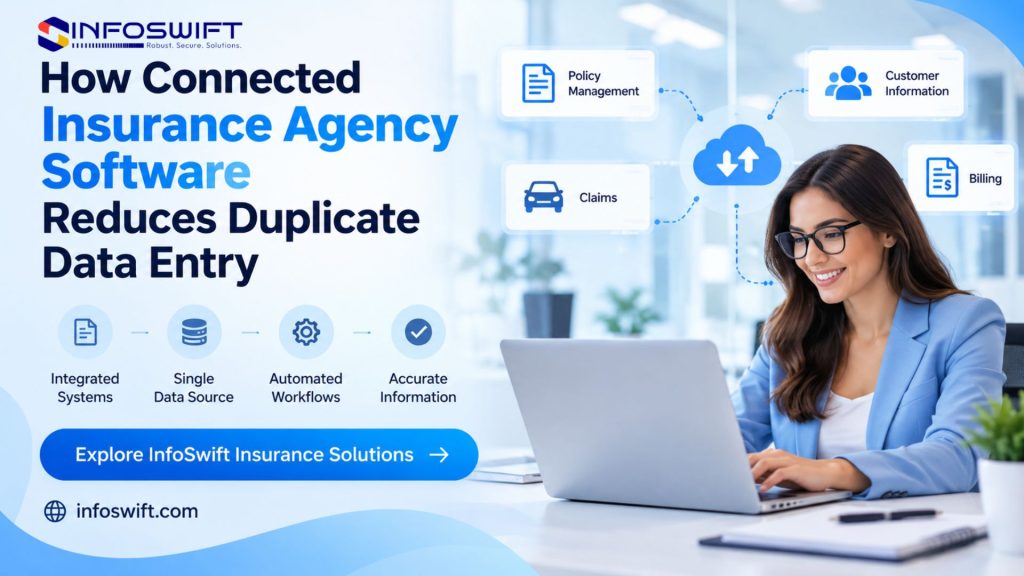
A prospect fills out a digital insurance quote portal on a Tuesday evening. They enter their name, phone number, address, vehicle details, and the coverage they want. The next morning, an agent opens that submission and types the same details into the AMS, which is the first sign of weak agency management system integration. A service representative then adds the contact to the CRM, and someone else keys the risk details into a carrier site. One customer inquiry has become four separate data entry tasks.
Most agencies did not plan it this way. They added a CRM to manage leads, a quote portal to improve the customer experience, and a rater to compare carriers, while the AMS kept running policies. Each tool did its job. What was missing was a plan for how the tools share information.
The cost is rarely a single dramatic failure. It is the steady loss of staff time to copying, checking, and correcting, plus the occasional mismatch that surfaces later as a wrong address or a missed renewal date. Better insurance agency data management is how agencies address that loss, and it begins with knowing where each piece of information is entered and who relies on it. Connected insurance agency software is one of the main ways to do it.
What Is Connected Insurance Agency Software?
Connected insurance agency software is a set of applications that exchange information and coordinate workflows through integrations, instead of operating as isolated tools. The connection can use APIs, vendor supported data exchange methods, or workflow automation that moves data and triggers actions between systems.
An agency typically works with five kinds of tools:
Agency Management System (AMS). The system of record for policies, client files, renewals, documents, and servicing activity.
CRM platform. Lead tracking, sales activity, marketing, and customer communication.
Digital quote portal. The place where prospects or agents enter customer and risk details to request quotes.
Carrier and policy systems. Carrier specific quoting, underwriting, issuance, and policy administration.
Integration and automation tools. APIs, middleware, and workflow automation that connect the rest.
Here is a simple example. A digital insurance quote portal collects a prospect’s details, and an authorized integration passes the relevant fields to the AMS. The agent starts the next step with data already in place.
Connected does not mean every system stores the same information. Each platform has a different job, so the agency has to decide which one owns each kind of data. A CRM might own lead activity while the AMS owns policy details. Without that decision, even a well built integration can overwrite good data with stale data.
Why Insurance Agencies Experience Duplicate Data Entry
Duplicate entry usually builds up slowly, as each new tool is adopted to solve one problem without a plan for how it connects to the rest.
Disconnected Software Applications
Specialized applications often do not talk to each other by default. Customer contact details might live in the CRM while policy details live in the AMS. When a customer changes their address, someone must update both. Over time the two records drift apart, and staff lose confidence in which one is correct.
Manual Quoting and Policy Workflows
Quoting involves several stages: collecting customer details, gathering risk information, submitting requests, reviewing responses, and updating internal records. If the quote portal is not connected to the AMS or carrier tools, employees copy information from one screen to another at every stage. For an agency handling many inquiries, that repeated work adds up quickly.
Limited Integration Between Agency Systems
Sometimes a connection exists but covers only part of the process. An integration might pass basic contact information but not quote status or policy updates, so staff finish the remaining steps by hand. In other cases, the software offers integration capability that the agency never configured. Reviewing what your current tools already support is a low cost first step in any insurance agency software integration project, and it often shows that part of the work is already possible.
Spreadsheet Based Processes and Legacy Applications
Spreadsheets often fill the gaps where systems cannot support a process. They work for temporary analysis, but as a permanent bridge between applications they add steps: export from one system, edit the file, import into another. Legacy applications without modern integration interfaces create similar friction and make insurance agency data management harder as the agency grows.
How Connected Insurance Agency Software Reduces Duplicate Data Entry
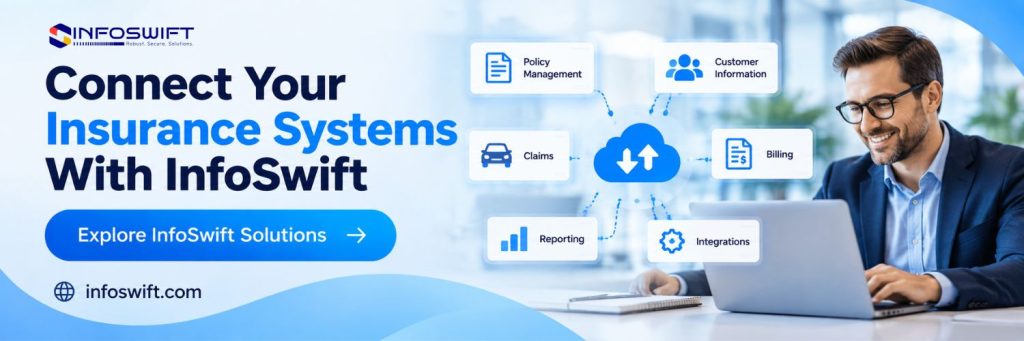
The goal is not one application that does everything. It is a set of existing systems connected well enough that nobody retypes what another system already holds.
1. Connects Applications Through API Integration
An Application Programming Interface (API) lets compatible applications exchange data through a defined technical connection. Insurance API integration can link the AMS, CRM, quote portal, carrier applications, and policy administration systems.
Suppose a prospect requests a quote and a CRM record already exists. An integration can pass the contact details to the quote portal so the quoting workflow starts without retyping. That works only if the integration supports the right fields and permissions.
Building it takes more than joining two endpoints. Developers have to handle authentication, field mapping, validation, error handling, and synchronization. A simple example: one system stores a full name in a single field, while another uses separate first and last name fields. The integration must split or combine them correctly, or records will arrive incomplete.
Business benefit: Well built insurance API integration reduces repeated entry and keeps information consistent between systems.
2. Centralizes Access to Customer Information
Sales staff tend to work in the CRM, and service staff work in the AMS. Without a connection, answering a simple customer question can mean opening several systems.
With insurance CRM integration, a CRM can display selected policy details retrieved from the AMS, such as effective dates or coverage types. It does not need to copy the whole policy record to do that. The CRM reads what the sales or service task needs, and the AMS stays the source of truth.
Setting data ownership rules first matters here. Decide which system is authoritative for contact details, policy data, documents, and notes, and write it down.
Business benefit: Staff find what they need faster, and the agency maintains fewer duplicate records.
3. Automates Repetitive Administrative Tasks
Insurance workflow automation handles steps that follow predictable rules, and it works best when it sits on top of clean, connected data. Common examples include:
- Creating a task when a quote request is submitted
- Updating a lead’s status after a defined event
- Notifying the right team when documents are missing
- Passing approved customer details between applications
- Flagging records that need manual verification
Consider an online quote request. Without automation, an employee reviews the submission, creates a CRM record, assigns the lead, and notifies an agent. With an integration, the system can create the record, assign the lead by agency rules, and generate the follow up task. The employee’s time goes to the customer’s needs.
Automation also has to plan for failure. If required information is missing or an integration stops, the system should flag the problem to a person instead of quietly continuing with an incomplete record.
Business benefit: Automation reduces administrative effort and speeds up internal handoffs.
4. Streamlines Digital Quote Portal Workflows
A digital insurance quote portal is often the first point of contact between a prospect and the agency, so it is where duplicate entry begins. A customer may provide:
- Name and contact details
- Address and property or vehicle information
- Driver or household details
- Current coverage and desired coverage
- Supporting documents
When the portal is connected, validated data can flow to the AMS, CRM, and carrier tools through approved integrations. The agent reviews a complete submission instead of rebuilding it. Required fields can be checked at entry, so missing details are caught early instead of discovered during quoting.
Connection details vary by carrier and system, so confirm which carriers and fields your portal can actually pass along before planning the workflow.
Business benefit: Faster, more complete handoffs from inquiry to quote, with fewer back and forth requests to the customer. Pairing the portal with insurance workflow automation also gives agents a task and a deadline the moment a submission arrives.
5. Improves Data Accuracy and Consistency
Every manual copy is a chance for a typo, a transposed number, or an outdated value. Integrations that map fields correctly and validate data at entry reduce those chances. They also keep shared values, such as a mailing address, aligned across systems, so a change made once is reflected where it needs to be.
Accuracy is an ongoing part of insurance agency data management, not a one time setup task. Sync logs, error alerts, and regular spot checks of records between systems confirm that the connection keeps working as systems are updated.
Business benefit: More dependable records and less staff time spent on reconciling conflicts.
6. Supports Cleaner Reporting as the Agency Grows
Reports built from several disconnected sources often disagree, because each source defines and updates its data differently. Connected systems with agreed data definitions make it easier to report on measures such as quotes received, quotes bound, and renewals completed. As the agency adds producers, lines of business, or carriers, that structure scales more easily than an expanding network of spreadsheets.
Business benefit: Managers get consistent numbers and can spot bottlenecks sooner.
Benefits of Insurance Agency Automation
The benefits of insurance agency automation depend on which processes you automate and how well the underlying data is managed. When connected systems and automation work together, agencies commonly see these improvements:
- Less repeated typing. Staff enter information once and reuse it.
- Faster handoffs. Tasks are created and assigned when a triggering event occurs.
- More consistent records. Shared fields stay aligned between systems.
- Clearer visibility. Managers can see open quotes, requests, and exceptions.
- More time for customers. Staff spend less time on administration and more on advice and service.
These outcomes are not automatic. They require clean data, tested integrations, and a person who owns the process after launch.
What to Consider Before You Integrate
Agency management system integration succeeds or fails on planning, and the same is true of any insurance agency software integration that touches your CRM or quote portal. Before you start, work through these points:
Which systems and carriers are supported? Interfaces vary. Get written confirmation of what each vendor and carrier supports, including which fields move and in which direction.
Who owns each type of data? Define the source of truth for contact details, policy data, documents, and notes.
How are errors handled? Decide what happens when a sync fails, a required field is empty, or two systems disagree, and who gets alerted.
Is the data clean? Merge duplicate clients and correct outdated records before you connect systems, or the integration will spread the mess faster.
How will you test and monitor? Test mapping, permissions, and rollback before launch, then monitor sync results afterward.
Who owns it afterward? Name a person responsible for vendor support, change requests, and training.
How InfoSwift Supports Connected Insurance Agency Workflows
Duplicate data entry is a symptom of weak insurance agency data management and disconnected systems, and it is fixable. Connected insurance agency software, supported by clear data ownership rules, tested integrations, and sensible exception handling, lets your team enter information once and use it everywhere it is needed. Start by tracing one customer from first inquiry to bound policy, count how many times their details are typed, and use that as the case for better insurance agency data management.
Frequently Asked Questions about insurance agency data management
Insurance agency data management is how an agency stores, organizes, updates, and protects customer, policy, and operational data across its systems. It includes deciding which system owns each type of data, how data moves between systems, and how errors are caught.
It lets compatible applications exchange information through APIs or approved data exchange methods, so details entered once can be reused in other systems instead of being typed again.
Often yes, depending on what each vendor supports. Insurance CRM integration can pass contact and lead details to the AMS or display selected policy information in the CRM. The available fields and direction of data flow vary by product.
No. Missing information, conflicting records, carrier specific rules, and coverage decisions still need human judgment. Good workflows flag these cases for review.
Map where the same data is entered more than once, rank those points by time cost, and start with the one that affects the most work. Confirm vendor and carrier support before you commit to a design.