
A Practical Checklist for Migrating Insurance Agency Data
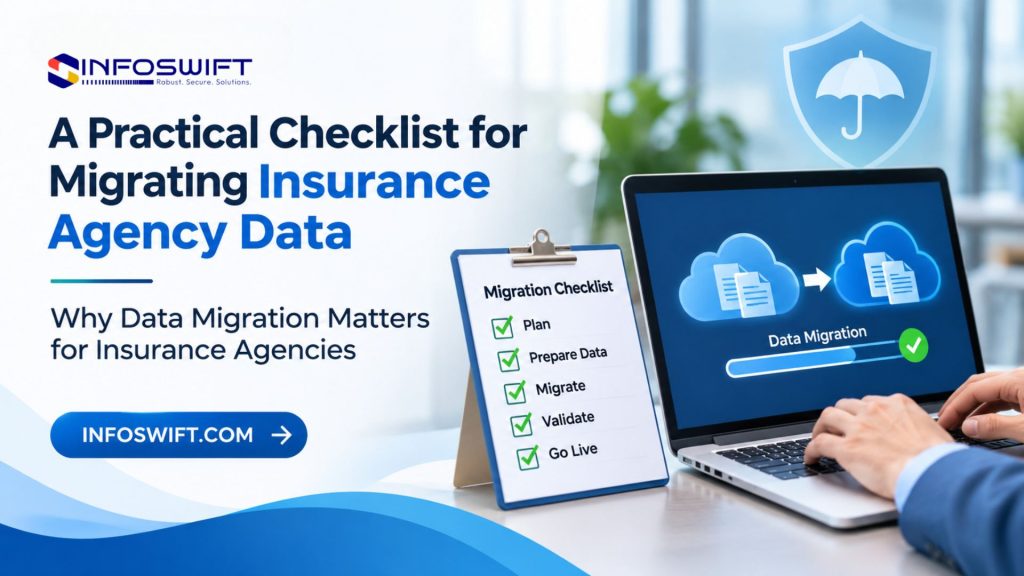
Why Data Migration Matters for Insurance Agencies
Agencies move data for practical reasons. A system reaches the end of its useful life, a vendor changes direction, the agency outgrows its tools, or two offices merge and need a single source of truth. Whatever the trigger, the new platform is only as useful as the records inside it. That is why insurance agency data migration, whether it is a full agency management system (AMS) migration or the consolidation of several smaller tools, deserves the same planning as the software purchase itself.
Most agencies begin a migration with the problems they hope to leave behind. Older systems can be slow to change and hard to connect to modern tools. Customer records are scattered across the management system, spreadsheets, email, and carrier portals. The same customer may appear twice with slightly different spellings, and disconnected applications mean a fix made in one spot never reaches the others. Moving these records unchanged only relocates the mess.
Insurance agency data migration works best as a structured process built on planning, validation, and testing, not as a weekend export and import. Each stage reduces a different risk. Planning prevents surprises, validation catches errors in the data, and testing proves that the agency can still work once the data arrives.
Two obligations run through every stage. The first is protecting policyholder information, which includes personal and financial details that carry legal and ethical responsibilities. The second is business continuity. Renewals, service requests, and quote inquiries keep arriving during the project, and the agency must keep serving customers while the agency management system migration is underway. This checklist is organized around both.
What Is Insurance Agency Data Migration?
Insurance agency data migration is the planned movement of an agency’s records from one place to another, with checks that the records arrive complete, accurate, and usable. The source is usually a legacy system, a set of spreadsheets maintained by individual agents, or existing agency management software. The destination is usually a new platform, as in an agency management system migration, although it can also be a consolidated database or a customer portal.
Most projects involve six categories of data:
- Customer and policyholder information: contact details, addresses, household relationships, and communication preferences.
- Policy and coverage details: policy numbers, effective dates, carriers, coverages, limits, and deductibles.
- Claims related records: claim numbers, dates, status notes, and adjuster contacts, where the agency keeps them.
- Agent and producer information: producer codes, licenses, appointments, and commission arrangements.
- Documents and attachments: applications, declarations pages, signed forms, and correspondence.
- Renewal and transaction history: past renewals, endorsements, cancellations, and payments recorded in the system.
Three terms are often confused. Data migration is the overall movement of records from the old environment to the new one. Data conversion is the work of reshaping those records into the structure the new system expects. Software implementation is the larger project that contains both, together with configuration, integrations, training, and go live. A migration can succeed technically while the implementation still struggles, if the people who must use the system are not ready for it.
Common Challenges in Insurance Agency Data Migration
Six problems appear in most projects. Recognizing them early shapes everything in the checklist that follows.
Incomplete or Inaccurate Data
Records built up over many years rarely stay tidy. Missing phone numbers, outdated addresses, policies still marked active after they expired, and inconsistent spellings are all common. A new system accepts these errors without complaint and then displays them to every user, so problems that were hidden in the old system become visible after go live.
Duplicate Customer and Policy Records
One household can exist as two or three entries, created by different agents, imported from different spreadsheets, or entered under a maiden name and a married name. Duplicates split a customer’s history, confuse renewals, and inflate the apparent size of a book of business. Merging them wrongly carries its own risk, which is why the question of what counts as a duplicate needs written rules.
Incompatible Data Formats
Old and new systems rarely agree on structure. One system may record a customer name as a single entry while another splits it into first, middle, and last. Dates, phone numbers, and policy numbers can follow different formats, and coverage details may sit in free text in one system but in structured fields in another. Field lengths, required values, and database configurations can all cause records to be rejected or truncated.
Missing Historical Information
Older policy records, documents, and transaction history are often the hardest to move. They may sit in archived tables, scanned files without index data, or formats the new system does not support. The agency then faces a choice between a partial history in the new system and keeping the old one available for reference. Either choice should be deliberate, not a surprise found after cutover.
Integration and Compatibility Issues
Migrated data must still work with the applications around it, including quoting tools, document storage, accounting, and third party systems such as carrier connections. Those tools expect identifiers and formats that can change in the new system. A record that migrated correctly can still fail to sync if the connection to another application is not rebuilt and tested.
Security and Access Concerns
Migration creates temporary copies of sensitive data: extracts, staging files, and test environments. Each copy is a place where policyholder information could be exposed through weak access controls, insecure transfer, or files left on a shared drive. Security needs attention at extraction, transfer, storage, and validation, not only in the final system.
Insurance Agency Data Migration Checklist: 10 Essential Steps
Use this insurance agency data migration checklist in order. Each of the ten steps explains why it matters and lists the checkpoints to complete before moving on. Treat every checkpoint as a gate: if it is not finished, the next step waits.
Define Migration Goals and Requirements
Without a stated purpose, every later disagreement becomes an argument about scope. Settle these points before anyone touches a record:
- Write down why the agency is migrating, such as replacing an unsupported system, consolidating offices, or enabling integrations.
- Document the business requirements and the outcomes expected, such as one record per customer and renewal dates that stay in sync.
- Define the scope: which systems, record types, and years of history are included, and which are not.
- Set success criteria that can be checked, such as agreed record counts and named workflows running correctly.
- Name one owner who makes final decisions when the team disagrees.
Audit Your Existing Insurance Data
You cannot plan a move without knowing what exists. The audit produces an honest inventory.
- Locate where customer, policy, claims, and document records are stored, including spreadsheets and email attachments outside the main system.
- Review database structures and file formats, noting which can be exported and in what form.
- Flag missing, outdated, and duplicate records, and estimate the scale of each problem.
- Record who owns each data source, so every question has a person to answer it.
Clean and Standardize Data
Errors are usually easier to spot and fix in the familiar screens of the old system than in the new one.
- Remove duplicate entries where appropriate, using written matching rules and a person’s review of uncertain matches.
- Correct inconsistent formatting for names, addresses, phone numbers, and dates.
- Validate important customer and policy fields, such as policy numbers, effective dates, and carrier names.
- Establish consistent naming and data entry rules that agents follow from now on, so the cleaned data stays clean.
Map Data Fields Between Systems
The mapping document is the blueprint for the whole move. Where both systems follow common industry data definitions, such as those published by ACORD, mapping is easier to describe and verify.
- Match each source system field with a destination system field.
- Identify fields that require transformation, such as splitting a full name or recoding a status value.
- Document differences in data structure, such as how each system links customers, households, and policies.
- Confirm how custom fields and historical records will be handled: mapped, archived, or left behind by decision.
Choose the Right Data Migration Approach
Three approaches are common, and each trades speed against safety.
- Big Bang Migration: transfer all data in a single planned migration window. It means one cutover and fewer moving parts, but it leaves little room for error.
- Phased Migration: move data in stages, such as by department, office, or record type. Each stage can be validated before the next begins, although the agency works with partial data in the new system for a while.
- Parallel Migration: run the old and new systems together temporarily while validating results. It offers the strongest comparison and the heaviest workload, since staff may enter or check data twice.
Agency size and operations influence the choice. A small single office agency with a clean, modest data set can often manage one planned window. Larger agencies, multi office operations, and those with complex commercial books usually benefit from phases. Parallel running suits agencies where an error would be especially costly and staff capacity allows the extra work. A short renewal season or a fixed vendor deadline can change the answer as much as size does.
Plan Data Conversion and Transfer
Conversion turns the mapping document into repeatable steps.
- Define the extraction and transformation process, including who extracts what, from which system, and in which format.
- Convert data into formats supported by the destination system, and run a trial conversion on a sample first.
- Establish secure transfer procedures covering where files go, who can reach them, and how they are removed afterward.
- Maintain a record of migration activities: what ran, when, who ran it, and what the result was.
Protect Data During Migration
Policyholder information deserves the same care during the move as it receives in daily operations.
- Apply appropriate access controls, limiting extracts and staging areas to named people.
- Use secure transfer methods and encryption where supported, for files in transit and at rest.
- Maintain backups before migration, and store them under the same controls as production data.
- Follow applicable privacy, security, and retention requirements. The NAIC Insurance Data Security Model Law is a useful reference for what a security program should cover, including oversight of outside vendors, and a number of states have adopted their own versions. Include any migration partner in that review.
Test the Migrated Data
Testing the data comes before testing the daily workflows, which the section on business disruption covers below.
- Verify customer and policy records by sampling across lines of business, including unusual cases.
- Check that documents open and are attached to the correct records.
- Compare record counts between the source and the destination, by record type.
- Test connected applications to confirm they receive the data they expect.
- Resolve missing or incorrectly converted data, then test again until the results are clean.
Train Employees and Prepare for Go-Live
A correct migration can still fail if users do not know where things are.
- Train agents and administrative teams on the new system using real scenarios from their own work.
- Prepare user guides and support procedures, including a quick reference sheet and a clear way to report a data error.
- Communicate the migration timeline so every team knows what changes and when.
- Confirm readiness before switching systems, with a go or no go meeting that checks the success criteria set in the first step.
Monitor the System After Migration
Go live is the start of the final phase, not the end of the project.
- Track errors and user feedback in one shared log, and review it often in the early days.
- Review data accuracy through spot checks and reports.
- Monitor application performance, especially search, reporting, and synchronization with connected tools.
- Resolve post migration issues with a named owner and a due date for each.
- Maintain a documented support and recovery plan that stays current as the system changes.
Data Migration vs. Data Conversion: What’s the Difference?
The two terms describe different work, and treating them as one leaves gaps in the plan.
Aspect | Data Migration | Data Conversion |
Meaning | Moving data from one system to another | Changing data into a different format or structure |
Main purpose | Transfer records to a new environment | Make records compatible with the destination system |
Activities | Extraction, transfer, loading, validation | Mapping, formatting, transformation |
Example | Moving policy records from a legacy AMS to a new AMS | Converting date formats or restructuring policy fields |
During an agency management system migration, the two happen in sequence. Consider one policy record. The migration process extracts it from the legacy AMS, while the conversion process changes its effective date to the format the new system requires and splits a combined coverage description into separate fields. The migration process then loads the converted record and validates it against the original. If conversion is skipped, the load fails or produces unreadable values. If migration controls are skipped, a perfectly converted record may never arrive, or may arrive without anyone knowing.
How to Minimize Business Disruption During Migration
The checklist protects the data. These five practices protect the working day during any insurance agency data migration.
Schedule Migration During a Suitable Window
Plan around agency workloads and important renewal periods. Review your renewal calendar and avoid the weeks when the most policies expire. Many agencies choose a weekend or a quiet period and declare a freeze, a short stretch when staff stop creating or editing records in the old system so the extract stays consistent. Agree the freeze rules in advance, including how urgent changes are captured in a temporary log and entered afterward.
Keep Backups and Recovery Plans Ready
A backup counts only if it has been restored. Verify it by restoring a copy into a test environment and opening real records. Document the recovery process: who decides to roll back, the point after which rollback is no longer possible, and how long a return to the old system would take. Set the rollback decision point before cutover begins, not in the middle of it.
Migrate in Phases When Appropriate
Move data in manageable groups and validate each stage. Sequence matters. Many agencies start with records that have the least activity, such as inactive policies, or with a single office, so that problems appear where they cost the least. Put a gate between phases, so that no new group moves until the previous one passes its checks.
Maintain Clear Communication
Keep agents, administrators, and relevant stakeholders informed. Send a short status note at set points, such as before the freeze, after the load, and after validation. Tell staff what will not work and when, tell customers if a portal or payment feature will be briefly unavailable, and name one person who answers questions. Silence encourages workarounds, and workarounds create the very data problems the project is meant to remove.
Validate Critical Workflows
Confirm that quoting, policy servicing, renewals, and document access work as expected. Write four or five short scripts that follow a real task from start to finish: quote a new customer, change an address on an existing policy, process a renewal, and open a stored document. Have the people who do these tasks run the scripts in the new system before go live, and note anything that now takes extra steps.
How to Choose the Right Insurance Software Implementation Partner
A partner shapes the quality of the project as much as the software does. When you compare insurance software implementation partners for an agency management system migration, judge them on evidence, and ask these questions of each one:
- Experience with complex data migration projects. Ask for examples with comparable data volumes and source systems, including what went wrong and how it was resolved.
- Understanding of insurance workflows and data structures. Notice whether they already know policy terms, endorsements, producer codes, and renewal cycles, or need long explanations.
- Data mapping and conversion capabilities. Ask to see a sample mapping document and how custom fields are handled.
- API and application integration experience. Ask which connections they have built and how they confirm that the other system permits access.
- Security and quality assurance practices. Ask how extracts are protected, who has access to them, and how testing is documented.
- Testing and post migration support. Ask what support covers after go live and for how long, and get the answer in writing.
- Clear project documentation and communication. Ask for a sample project plan and status report.
No partner supports every AMS or carrier platform. Treat any claim of universal compatibility as a warning sign, and verify compatibility for your specific source and destination systems during the assessment, before a statement of work is signed. Implementation and migration charges are among the cost factors explained in our post on insurance agency software cost.
How InfoSwift Supports Insurance Software Modernization and Data Migration
InfoSwift helps insurance agencies plan and carry out technology modernization, including projects where insurance agency data migration is one part of a larger change. Each service below is described by what the agency receives. For the full range of InfoSwift’s work with agencies, visit the insurance agency software solutions page.
Legacy Insurance Application Modernization
InfoSwift assesses older applications and identifies where functionality and maintainability can improve. The result is a clear view of what to keep, update, or retire, which also determines what data needs to move.
Data Migration Planning and Conversion
Support covers data assessment, mapping, transformation, and validation, based on the requirements of each project. Typical deliverables include a data inventory, a field mapping document, conversion rules, and validation reports the agency can review.
Insurance API and Application Integration
InfoSwift helps connect relevant insurance applications and business systems where supported APIs, connectors, and permissions are available. Each connection is checked against what the other system allows before it is promised. Integration work is described on the InfoSwift integration services page.
Custom Insurance Software Development
InfoSwift develops applications and workflows aligned with agency specific operational needs, such as a tool for handling records that the new platform does not cover.
Quality Assurance and Migration Testing
InfoSwift validates migrated records, application functionality, and the integration of workflows, using checks like those in this checklist. The testing approach is covered further under InfoSwift QA and testing services.
Make Insurance Data Migration a Planned Process
A successful insurance agency data migration is rarely the result of one clever tool. It comes from preparation, data cleanup, careful field mapping, security, and testing, done in the right order. Each step in this checklist removes a risk that would otherwise appear after go live.
It is also more than transferring records. The people who use the system need training, and the workflows built on that data, from quoting to renewals, need to work on the first day. A migration that moves every record but leaves staff unsure how to use them has not finished the job.
Before choosing an approach, assess what you have. List your systems, find where records live, and note which problems from this guide apply to your data. That assessment makes every later decision easier, from selecting a partner to choosing between phases and parallel running.
Frequently Asked Questions
It is the planned transfer of an agency’s customer, policy, claims, producer, and document records from existing systems into a new one, together with the cleanup, conversion, and checks that make the transferred records trustworthy.
There is no standard duration. Timing depends on how many systems and records are involved, the condition of the data, the approach chosen, the integrations to rebuild, and how much staff time is available for review and testing. Preparation, including the audit, cleanup, and mapping, can take longer than the transfer itself. Ask a partner for a timeline only after an assessment of your data, and leave room around your busiest renewal weeks.
At a minimum, active customer, policy, and producer records, with the documents attached to them. For older records, claims history, and closed policies, decide by purpose: migrate what staff need to service customers, archive what must be kept for retention rules but is rarely opened, and delete only what policy and law allow. Retention periods vary by state and record type, so confirm them with compliance before deciding.
For any agency management system migration, never work on your only copy. Extract from a backup, keep the source system available in read only mode until the new one is approved, and reconcile the results against totals taken before the move. Log every run so any gap can be traced to a step, and retire the old system only after a defined review period.
Ask what the task changes. If it changes where a record lives, it is migration. If it changes how the record is structured or formatted, it is conversion. Most projects need both, in that order.
Combine three checks: counts, totals, and samples. Compare record counts by type, compare control totals the agency already trusts, such as the number of active policies by line, and review a sample of complete records, including unusual ones. Then have users complete real tasks in the new system. Record every exception, fix its cause and not only its symptom, and require named approval before go live.
The main project risks are unclear scope, poor source data discovered late, staff who are not trained or involved, integrations assumed to work but never tested, and timelines pushed into renewal season. Each has a simple control: a written scope with success criteria, an early audit, hands on training, scripted tests, and a calendar that respects the busiest weeks. Security and privacy obligations run through all of them.